

Connect integrations
Integrations connect your Zittle website to tools you may already use. They’re optional, and the Getting started checklist counts this step as done once any one of them is connected.
In your dashboard, go to Integrations, or select Set up next to step 5 of the checklist.
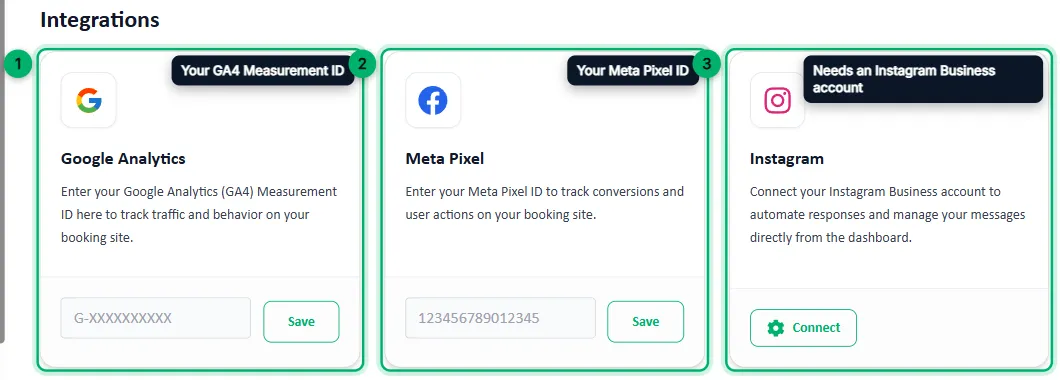
- Google Analytics: enter your GA4 Measurement ID (it starts with
G-) and select Save to track visits and behaviour on your booking site. - Meta Pixel: enter your Meta Pixel ID and select Save to track conversions and actions on your booking site.
- Instagram: select Connect and sign in to link your Instagram Business account. Your website’s homepage then shows your Instagram profile and recent posts, with a Follow button.
Instagram and WhatsApp chatbots
Section titled “Instagram and WhatsApp chatbots”Zittle can also answer your Instagram DMs with a booking chatbot, so guests can choose an event, date and tickets inside the chat. Connecting Instagram doesn’t turn the chatbot on. For now the Zittle team sets it up for you, so contact support@zittle.in. Once it’s running, use Pause Chatbot on this page to switch it off and on.
Zittle has a WhatsApp booking chatbot as well, also set up by the Zittle team. How to sell event tickets on Instagram explains how both chatbots work and what you need.
You’re set up
Section titled “You’re set up”With your business details, website, first event and bank details in place, your website is ready to take bookings. Open it from the link on Website Details, and share it with your customers.