

Create your account
You sign up for Zittle with an email address and a password. Your 30-day free trial starts as soon as the account is created, and you don’t need a card to start it.
-
Go to zittle.in/login?signup, or select Start free trial anywhere on this site. The Signup tab opens.
-
Enter your email address, then choose a password and type it again to confirm it. The password needs:
- at least 8 characters
- at least one number
- at least one special character, such as
@,#or!
-
Select Sign Up.
If that email address already has a Zittle account, you’ll see Email already exists! Please login. Switch to the Login tab and sign in instead.
-
Check your inbox for a 6-digit code from Zittle. Type it into the Enter Otp field and select Sign Up again.
The code works for 10 minutes.
Your account is ready, and you’re taken to the Getting started checklist.
What’s next
Section titled “What’s next”The Getting started checklist in your dashboard lists the steps between a new account and your first booking:
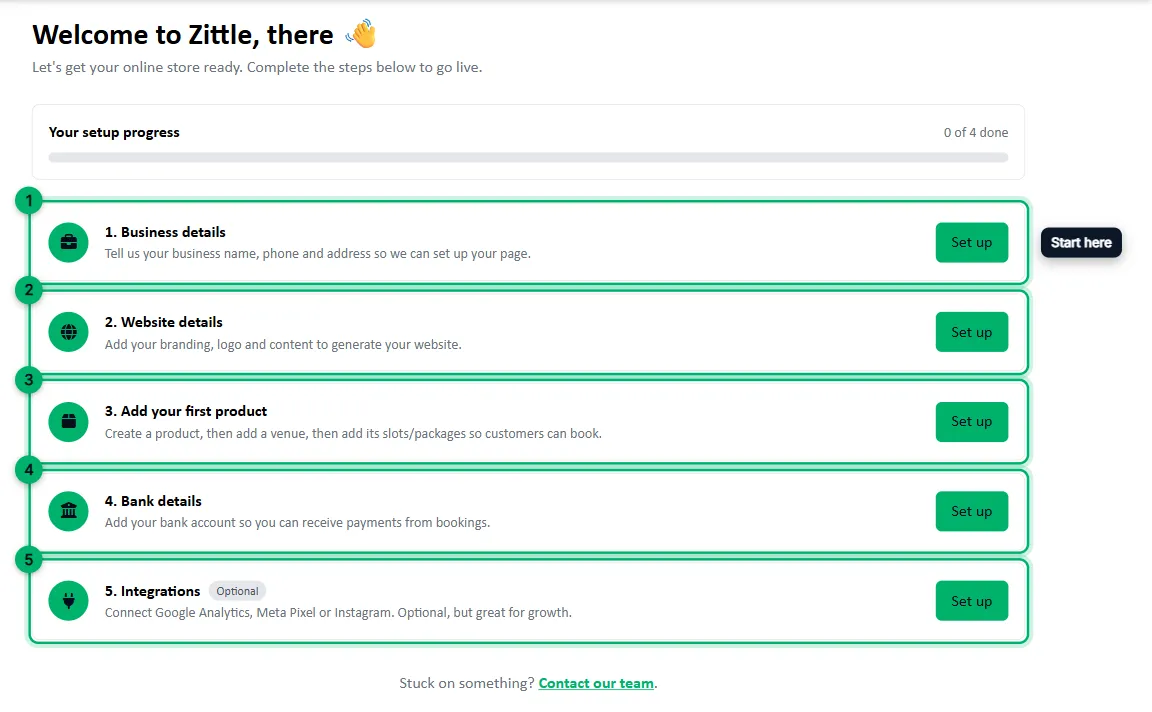
- Business details: your business name, phone number and address.
- Website details: your branding, logo and the content for your booking website, plus your policies.
- Add your first product: create your event, add a venue, add ticket packages and add dates and times.
- Bank details: the account your booking payments are paid into.
- Integrations (optional): Google Analytics, Meta Pixel or Instagram.
Troubleshooting
Section titled “Troubleshooting”The code didn’t arrive. Check your spam or promotions folder. If it isn’t there, select Change next to your email address, enter your details again and select Sign Up to get a new code.
The code has expired. Codes last 10 minutes. Select Change and sign up again to get a new one.
You forgot your password. On the Login tab, select Forgot Password? and follow the steps.
You want to sign in with Google. Zittle accounts use an email address and a password; Google sign-in isn’t available.
Still stuck? Message us on WhatsApp or email support@zittle.in.