

Add your bank details
Add the bank account you want to receive payments from bookings in. This is the last required step of the Getting started checklist.
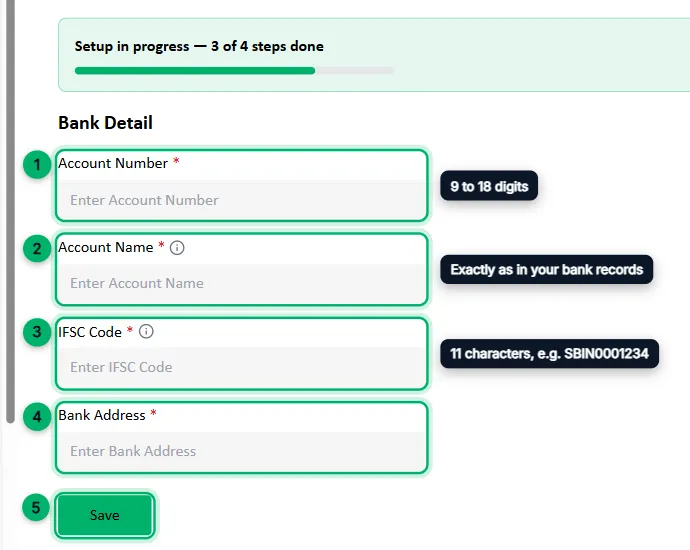
In your dashboard, go to Bank Details, or select Set up next to step 4 of the checklist.
-
Account Number: 9 to 18 digits.
-
Account Name: the account holder’s name exactly as it appears in your bank records.
-
IFSC Code: the 11-character branch code printed on your cheque book or passbook, such as
SBIN0001234. -
Bank Address: the address of your bank branch.
-
Select Save.
For questions about when payments reach your account, message the Zittle team on WhatsApp or email support@zittle.in.
What’s next
Section titled “What’s next”Connect integrations. They’re optional, but help you measure and grow your bookings.